
Adobe is expanding its AI-powered image editing tools with new features. The updates are coming to Adobe Photoshop and the Adobe Firefly platforms, and are designed to help creative professionals work even faster and more intuitively.
The new AI features let users describe in natural language the changes they want to make to an image. The artificial intelligence then automatically carries out the necessary editing steps—so creativity takes center stage instead of technical adjustments.
Intelligent AI Assistant in Photoshop
One of the most significant new features is an AI assistant that helps users throughout the image editing process. The assistant can interpret natural-language instructions and suggest edits.
For example, users can request actions such as:
- removing or adding objects
- replacing the background
- adjusting colors and lighting
- generating creative elements with the help of AI
The system can even voice commands , making the workflow even faster. An important advantage is that AI edits do not alter the original image: edits are made on separate layers, so they can be undone or fine-tuned at any time.
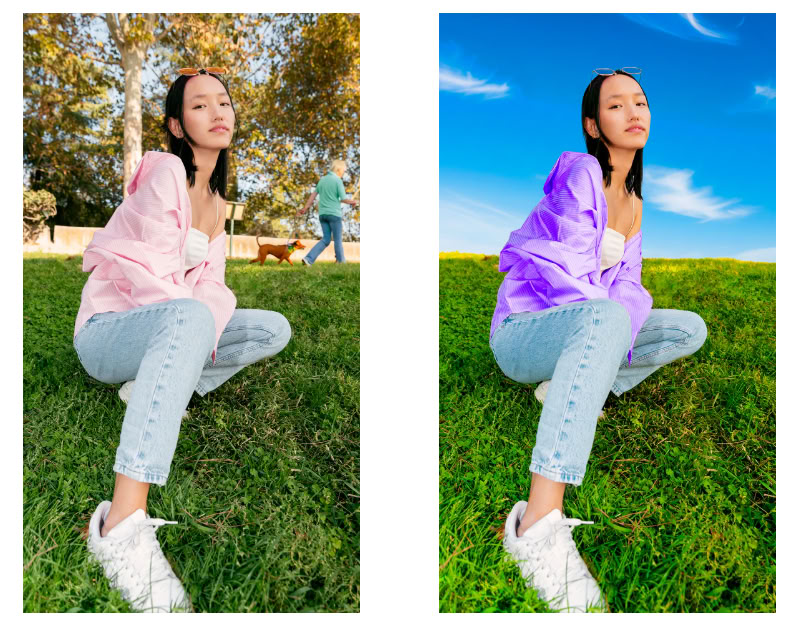
AI Markup: editing with drawing and annotation
The new AI Markup feature makes image editing even more intuitive. Users can simply draw on an image to indicate where they want to make changes.
For example:
- they can circle an object they want to remove
- they can select an area where they want to generate a new element
- they can mark a part of the background they want to replace
AI recognizes the markings and automatically makes the necessary edits. This significantly speeds up the creative workflow, especially when working with complex compositions.
More advanced generative AI tools
The generative features are powered by Firefly technology, one of Adobe’s most important AI innovations. The update also enhances several popular tools.
Generative Fill
Generate new content or fill in missing parts of an image with the help of AI.
Generative Expand
Expand the image canvas while AI generates new visual elements in the empty areas.
Remove Tool
Quickly remove unwanted objects from an image.
Upscale
Increase image resolution without significantly reducing quality.
Remove Background
Remove the background with a single click.
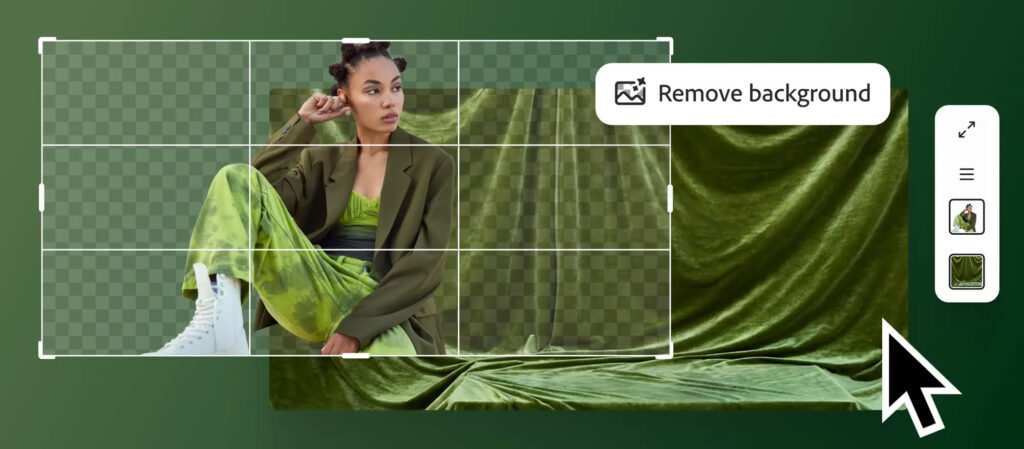
A faster creative workflow with artificial intelligence
Adobe’s goal is not to have AI replace creative professionals, but to work as a creative partner.
With the new features, users can:
- create visual concepts faster
- experiment more easily with multiple design variations
- reach the final creative solution in less time
Summary
Artificial intelligence is playing an increasingly important role in creative tools, and the latest developments in Adobe Photoshop and Adobe Firefly clearly demonstrate this trend.
With the AI assistant, the AI Markup feature, and enhanced generative tools, image editing has become faster, more intuitive, and more flexible. This allows creative professionals to devote more time to ideas and visual storytelling.