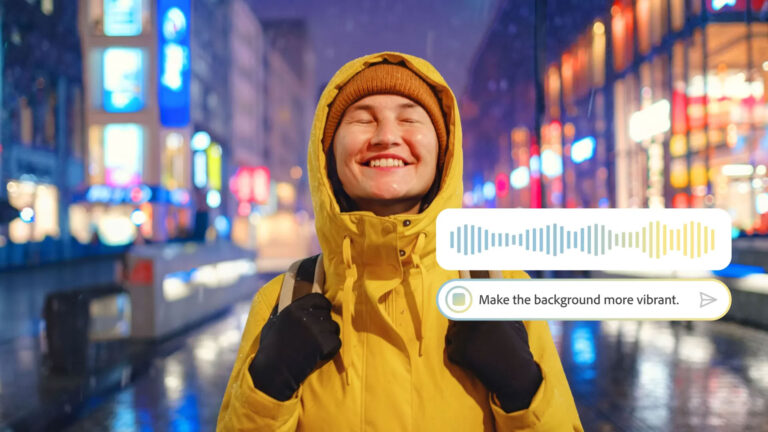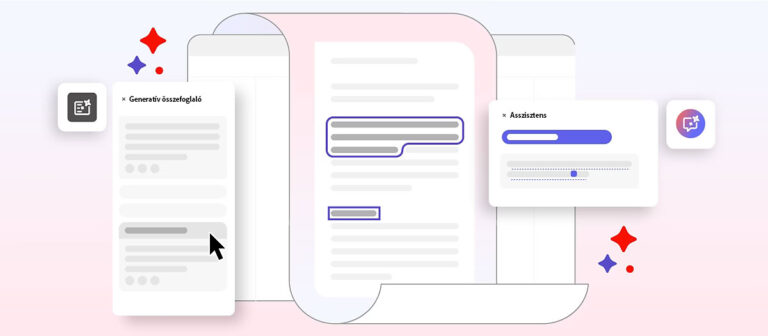
The Adobe Firefly ushers in a new era of creative generative artificial intelligence (AI) for creators, available in the company’s most popular apps and through Adobe Stock. Firefly is designed to unlock people’s natural creativity and provide tools that make it easy and efficient to create stunning visual content. Firefly is available as a website and is also integrated into many Adobe apps, offering generative AI-powered tools tailored to creators’ needs.
Firefly’s Purpose and Features
Firefly’s range of tools is designed to support creative workflows, whether for images, videos, vectors, or digital design. The Adobe Firefly Video Model, Adobe’s generative video tool, helps people who edit films or produce other video content create inspiring, professional-quality content. This model makes it possible to add new elements to existing videos and fill in missing sections during the editing process.
Adobe’s goal with the Firefly Video Model is to expand its range of generative AI tools, which already includes image, vector, and design models. This makes Firefly the most comprehensive creative AI model family available. Firefly’s power has already been used to generate more than 12 billion images worldwide, and that number will only grow with the introduction of video tools.
Generative Video Tools: Text to Video and Image to Video
The Firefly Video Model is new in its ability to turn text into video and images into video, allowing us to generate videos using simple text prompts or still images. These features will be available on the Firefly website and will also be integrated into Adobe Premiere Pro, which has also been updated with new color correction tools.
The Text to Video feature lets users create videos based on text prompts. The prompts respond to camera settings such as angle, movement, and zoom, all of which can be dynamically adjusted using text.
The Image to Video feature lets us turn still images into moving videos, creating dynamic and creative content.
If you’ve never written a prompt before, or have tried but want to improve your skills, you can find out by clicking here how to write effective prompts.
Fast and efficient editing
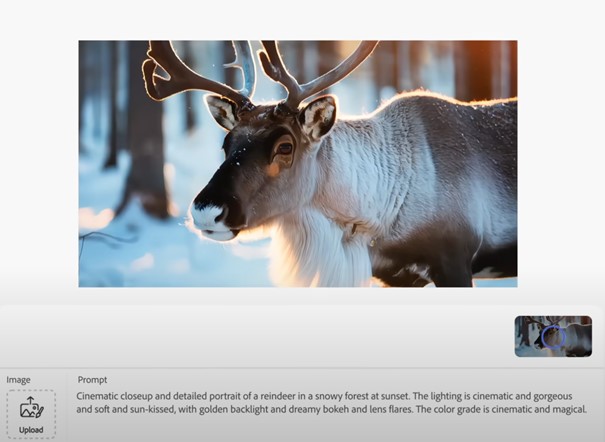
With Adobe Firefly, unique videos can be created incredibly quickly and efficiently. Each of the AI-generated videos published by Adobe was created in less than two minutes. For example, based on a prompt such as “Cinematic close-up of a reindeer in a snowy forest at sunset,” Firefly can turn text into a lifelike, “movie-like” video, adjusting the colors, mood, and camera angle according to the input parameters to match our vision as closely as possible.
The Adobe Firefly Video Model was designed to provide professionals with new opportunities, simplify workflows, and support creative ideation. Its goal is to offer a new level of creative control and efficiency in video editing, made possible by the generative tools offered by Firefly.
Combining camera controls with real footage
One of the major advantages of the Adobe Firefly Video Model is that camera-control prompts, such as settings for angle and movement, can be combined with real video footage. This lets us enhance content without having to reshoot scenes. This is a huge help for video editors, allowing them to shape a video’s appearance, flow, and feel without needing new footage.
Adobe has shared several examples where combining real footage with content generated by Firefly produced impressive results. Real footage captured by people was supplemented with AI-generated clips, and the final material brought them together into a single sequence.
New workflows for video editing
Over the past few months, Adobe has worked closely with the video editing community to further develop the Firefly Video Model. Based on feedback from the community, they developed new workflows that help editors bring their creative vision to life, fill in missing sections during editing, and add new elements to existing footage.
The Firefly Video Model also helps create perfect B-roll clips, remove unwanted objects from scenes, and smooth cuts and transitions, thereby fixing gaps in existing footage.
Safe and legally protected content
Like content created with other generative tools, content generated by Adobe Firefly is safe and legally protected. Firefly uses content in its generation process for which Adobe has obtained permission. This ensures that users can create legally protected, safe-to-use content that they can also use for commercial purposes.
The Firefly Video Model beta
The beta version of the Adobe Firefly Video Model is expected to arrive later this year and will also be available to the public. This will give users the opportunity to try generative video tools firsthand and explore the creative possibilities offered by artificial intelligence.
The future of generative artificial intelligence
Generative artificial intelligence, which can create amazing content from simple text, is revolutionizing the creative industry. It can be used to create not only images, but also videos, documents, interactive experiences, and works of art. Firefly allows users to enter prompts in more than 100 languages, making this incredible technology accessible around the world.
Firefly’s new tools give everyone in the creative industry the opportunity to unleash their creativity, taking content creation to a new level.
The latest versions of the Adobe family of products are available from Creaware.hu, click here you can select and purchase the software license.
Source:
https://www.adobe.com/hu/products/firefly/discover/ai-art-prompts.html#profi-tippek-a-legjobb-mi-alap%C3%BA-k%C3%A9pgener%C3%A1l%C3%A1si-promptokhoz-a-jelenlegi-%C3%A1llapot-szerint
https://petapixel.com/2024/09/11/adobe-firefly-turns-text-or-images-into-realistic-ai-generated-video/
Cover image: freepik