Interested in the world of 3D design? Have you ever been impressed by 3D graphics? If so, but you’ve found creating them too complicated or time-consuming so far, we have good news: Adobe is working to make 3D design accessible to everyone. The solution is called Adobe Project Neo.
What exactly is Project Neo?
Let’s think of Adobe Illustrator or Photoshop – the cornerstones of 2D design. The Project Neo a similarly intuitive, web-based 3D design tool, which builds a bridge between the 2D and 3D worlds. Its goal is to make 3D creation simple and enjoyable for graphic designers familiar with conventional 2D workflows. Forget complicated interfaces and multi-week courses – the emphasis here is on simplicity and creative freedom.
What makes Project Neo special?
- From 2D to 3D in seconds: One of the most exciting features is that you can easily turn familiar 2D elements into 3D shapes. With just a few clicks, you can give your vector logo or icon dimension, as if you were simply pressing a button.
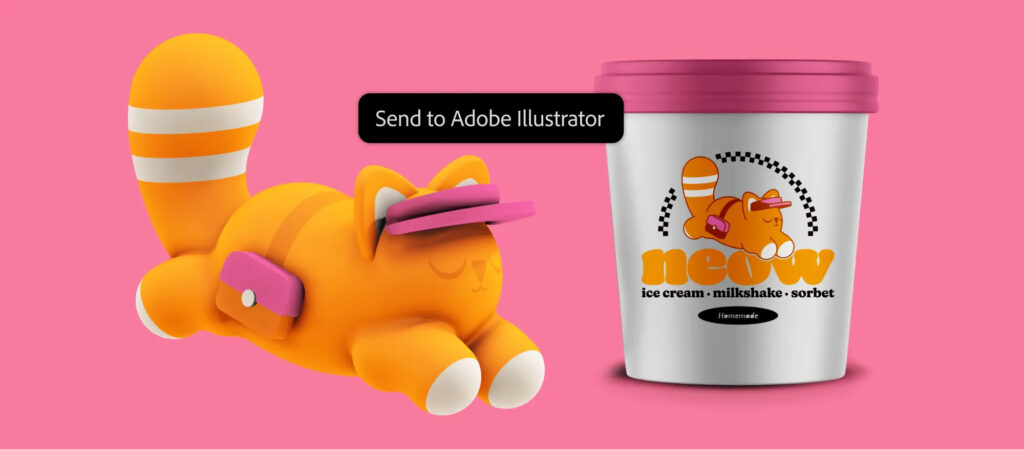
- Seamless Illustrator integration: Love Illustrator? Then you’ll love Project Neo too! You can import and export SVG files without losing editability. Create a vector graphic in Illustrator, drop it into Neo, give it depth, then take it back to Illustrator for further refinement. This workflow is a dream!
- Volumetric shapes made easy: You can add dimension and depth to your designs. Whether it’s a dynamic logo, an eye-catching isometric illustration, or stunning 3D typography, with Neo, it’s a breeze.
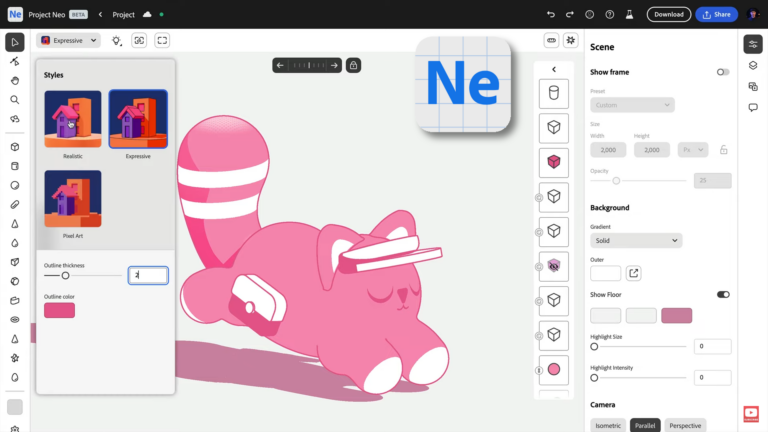
- Freedom of style: No need to spend hours fiddling with material settings! Quickly apply different style filters (realistic, illustrative, vector, and even pixel art), and adjust the lighting, shadows, and perspective in real time. Experiment to your heart’s content!
- Adobe Firefly on board: Imagine being able to “supercharge” your 3D scene with text prompts! The “Scene to image” feature uses Adobe Firefly AI to generate inspiring visual elements for your 3D compositions in a flash.
- Web-based freedom: Since it runs in your browser, you don’t have to worry about installations or hardware requirements. Access your creations anywhere, anytime—you just need an internet connection.
What can you use Project Neo for?
The possibilities are virtually endless, but here are a few ideas:
- Brand and marketing materials: Stunning dimensional logos, icons, and visual elements for your campaigns.
- Digital illustrations: Isometric cityscapes, 3D characters, or dynamic scenes.
- Typographic masterpieces: Make your text leap off the page! Create unique 3D lettering using the vast Adobe Fonts library.
- Rapid prototyping: Visualize your ideas quickly and efficiently.
Where does Project Neo stand now?
Project Neo is currently in open beta phase, which means Adobe is actively developing it, and you can try it out too! It’s available for free with an Adobe ID at projectneo.adobe.com . This is a great opportunity to be among the first to explore the future of 3D design and contribute to its development with your feedback.
If you’ve ever toyed with the idea of bringing your 2D work into the third dimension, or are simply looking for a user-friendly tool for creating in 3D, Adobe Project Neo is made for you. Take a look and unleash your creativity in the third dimension!
Would you try Adobe Project Neo? CLICK HERE!